




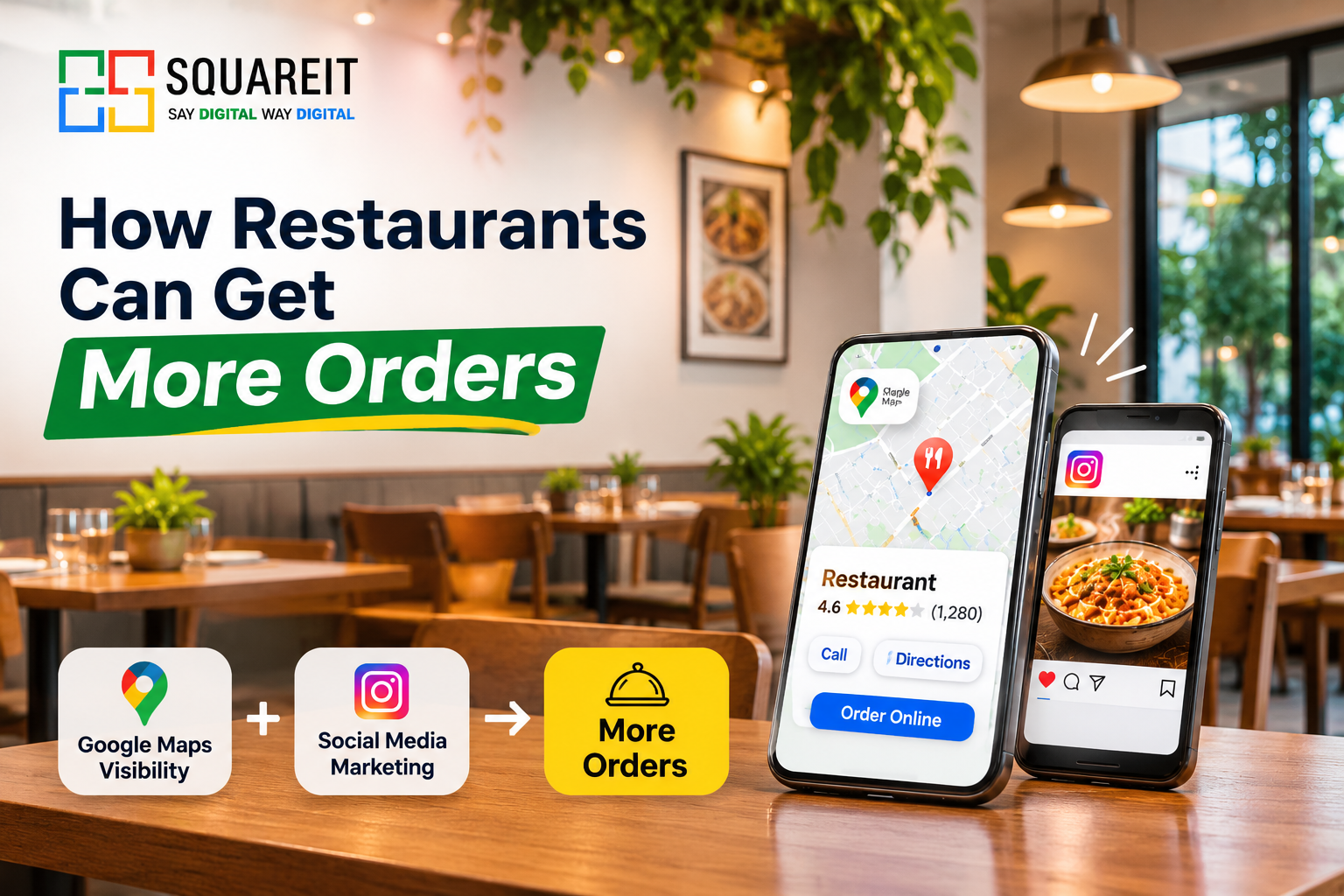
For Restaurants they can get more order through Google maps and Social Media. When a hungry customer searching for getting food to eat. Then, they turn on google maps to see the restaurants for food.
At the time when the customers scrolling social media platforms like Instagram and Facebook can turn passive view into customers through food photos, videos.
Restaurants can get more orders by optimizing their Google Business Profile, improving their Google Maps visibility, and using social media to show their food and happy customers to give orders. A online presence helps restaurants attract nearby customers, build trust, and increase online food ordering.
We will give ideas, how restaurants can use Google Maps and social media marketing to increase restaurant orders, improve local visibility, and attract more customers.
Why Google Maps and Social Media for Restaurant Orders
Today, customers do not get ideas about restaurants through traditional marketing. People search online when they want to eat something, whether they are thinking for a nearby restaurant, planning a family dinner, or ordering food at home.
Google Maps helps customers to get location of the restaurants easily, while social media creates interest through visual content and food experiences.
Both platforms play different but equally important roles in restaurant marketing.
The Role of Google Maps Marketing for Restaurants

Google Maps marketing for restaurants is one of the most effective ways to attract customers who are actively looking for food nearby. When someone searches for terms like "restaurants near me," "best restaurant in Lucknow," or "pizza near me," Google may show relevant restaurant listings on Maps and in local search results.
A properly optimized Google Business Profile can help restaurants become more visible to potential customers.
1. Create and Verify Your Google Business Profile

The first step is to claim and verify your Google Business Profile (GBP). This profile allows restaurants to display important information such as their business name, address, phone number, operating hours, website, and customer reviews.
After verification, complete every relevant section of your profile. Choose the correct primary and secondary categories, such as Restaurant, Indian Restaurant, Cafe, or Fast Food Restaurant, depending on your business.
Google considers relevance, distance, and prominence when determining local search rankings. Although restaurants cannot control every ranking factor, maintaining an accurate and complete profile helps Google understand the business and its services.
2. Show Your Menu and Food Photos
Food photo make a important trust to customer about food. When customers visit your Google Business Profile, they want to understand what your restaurant serves and what they can expect.
Upload images of your food of restaurant, dining areas, and food presentation. Add menu information wherever supported, including dish names, descriptions, and prices.
Attractive and authentic food images can encourage customers to explore your menu, visit your restaurant, or place an order.
3. Enable Online Ordering and Make Ordering Easy
Customers want a simple order experience. If your restaurant takes online ordering, make sure customers can easily find the relevant ordering link through your Google Business Profile.
Depending on your location, eligibility, and available integrations, you may be able to display ordering options or links through supported providers.
You must Have to enable your online ordering services. So, that customers can give order easy and simple way
4. Maintain Accurate Business Information
Keep your restaurant's name, address, phone number, and operating hours consistent across Google Maps, your website, social media profiles, and food delivery platforms.
Accurate information helps customers find your restaurant without confusion.
Update your business hours regularly, during festivals, holidays, or special events. Incorrect opening hours can lead to missed orders and negative experiences.
The Role of Restaurant Social Media Marketing
Social media marketing for restaurants is not just about posting food photos. It is about creating an experience that makes people interested in visiting your restaurant or ordering food.
Instagram, Facebook, YouTube Shorts, and WhatsApp Business can help restaurants connect with customers, promote new dishes, and encourage repeat orders.
1. Visual Discovery Through Instagram and Facebook
Instagram and Facebook are valuable platforms for restaurant marketing because food is highly visual.
In this platform you have upload short-form video like reel formate. To give the information of food for customers.
For example, a restaurant can make a Reel showing the special dish, explain its ingredients, or highlight a special meal combination.
Use location tags, relevant hashtags, and clear captions to help local audiences discover your content. Include a call to action such as "Order Today," "Visit Us," or "Explore Our Menu."
2. Show Behind-the-Scenes Authenticity
Customers are increasingly interested in knowing how their food is prepared and what happens inside a restaurant.
Behind-the-scenes videos can showcase kitchen preparation, chefs preparing dishes, ingredient selection, food presentation, and cleanliness practices.
These videos help communicate authenticity and give customers a better understanding of the restaurant's food preparation process.
Always ensure that the content accurately represents your restaurant's hygiene standards and food handling practices.
3. Share Customer Experiences and User-Generated Content
Customer-generated content is more effective for restaurant.
Take the customers review to share their dining experiences, food photo, and videos on social media. With their permission, restaurants can repost these experiences on their official accounts.
Customer testimonials, reviews, and dining photo can help build trust among potential customers.
You can also collaborate with local food bloggers and influencers who create content about restaurants in your city. Choose creators whose audience matches your restaurant's target customers.
4. Promote Offers, Special Dishes, and Seasonal Menus
Social media is an platform for promoting restaurant offers and special menus.
Restaurants can share limited-time discounts, festive food combinations, weekend specials, new dishes, and seasonal menus.
For example, a restaurant can promote a special Diwali menu, a family dinner package, or a weekday lunch offer.
Use attractive visuals and clear information about the offer, including its validity, applicable conditions, and ordering process.
Connecting Google Maps and Social Media for Maximum Orders

Google Maps and social media is best when they support each other.
A customer may discover your restaurant through an Instagram Reel and later search for its location on Google Maps. Another customer may find your restaurant on Maps, check its Instagram profile, and decide whether to place an order.
To create a connected customer journey:
-
Add your website and relevant contact details to your Google Business Profile.
-
Include your Google Maps location in your Instagram bio or Facebook page.
-
Share your Google Business Profile review link with customers who want to provide feedback.
-
Promote the same restaurant offers across Google Posts and social media.
-
Use WhatsApp Business to answer customer questions and share menu information.
-
Make your ordering link easy to find across all platforms.
This approach helps customers move from discovering your restaurant to trusting it and finally placing an order.
How to Measure Results.
Google Business Profile provides performance information that can help restaurants understand how customers interact with their listings. Depending on available reporting, you can monitor profile views, website clicks, calls, directions, and other customer interactions.
On social media, focus on meaningful metrics such as:
-
Reach and impressions.
-
Reel views and engagement.
-
Saves and shares.
-
Profile visits.
-
Website and ordering link clicks.
-
WhatsApp inquiries and direct messages.
-
Orders generated through campaigns.
You can also use UTM tracking links and unique promotional codes to identify which marketing channels generate orders.
Tracking results helps restaurants understand what customers respond to and where marketing efforts should be improved.
Common Mistakes Restaurants Make on Google Maps and Social Media
Many restaurants invest time in online marketing but not maintain their digital presence.
Common mistakes include:
-
Keeping outdated operating hours or incorrect contact details.
-
Ignoring customer reviews and feedback.
-
Uploading low-quality or misleading food photographs.
-
Posting inconsistently on social media.
-
Not including a clear ordering link or call to action.
-
Promoting offers without explaining their conditions.
-
Using irrelevant hashtags instead of local and food-related keywords.
-
Ignoring customer messages and online inquiries.
-
Failing to update menus when dishes or prices change.
Avoiding these mistakes can improve customer experience and make your restaurant's online presence more useful.
Quick Action Checklist for Restaurants
Here are ten practical steps restaurants can follow this week:
-
Claim and verify your Google Business Profile.
-
Confirm your restaurant's name, address, phone number, and opening hours.
-
Add your menu, order links, and business information.
-
Upload fresh, authentic food photographs.
-
Ask satisfied customers for genuine Google reviews.
-
Reply professionally to positive and negative reviews.
-
Publish at least two or three social media posts or Reels.
-
Promote one special dish, offer, or seasonal menu.
-
Add your Google Maps location and ordering link to social media profiles.
-
Track calls, website clicks, inquiries, and orders to understand results.
Conclusion
Google Maps helps restaurants reach customers who are actively searching for nearby dining options, while social media marketing creates interest through food photography, Reels, customer experiences, and special offers.
By optimizing their Google Business Profile, maintaining accurate business information, collecting genuine customer reviews, publishing engaging social media content, and making online ordering simple, restaurants can improve their digital presence and attract more potential customers.
The key is to remain consistent, understand customer preferences, and continuously improve the experience from discovery to ordering. A well-managed combination of Google Maps and social media can become a valuable part of a restaurant's long-term marketing strategy. To achieve better results, restaurants can also partner with a professional digital marketing agency like Squareit Solutions, which helps businesses strengthen their online presence through SEO, Google Business Profile optimization, social media marketing, and digital marketing strategies. With the right marketing approach, restaurants can improve local visibility, attract potential customers, and generate more online orders.
Frequently Asked Questions
1. How do I get my restaurant to show up on Google Maps?
Claim and verify your Google Business Profile, select the correct business categories, and provide accurate restaurant information. Add your menu, food photographs, operating hours, and contact details. Encourage genuine customer reviews and keep your profile updated. These practices improve your restaurant's relevance and help customers discover it through Google Maps and local search.
2. How can a restaurant increase online orders?
Restaurants can increase online orders by improving their Google Maps visibility, promoting food through Instagram Reels, offering convenient ordering links, and sharing special menus or offers. Responding to customer inquiries quickly and providing an easy ordering experience can also encourage more customers to complete their purchases.
3. Does Google Business Profile help restaurants get more customers?
Yes. Google Business Profile helps restaurants appear in Google Search and Google Maps when people look for nearby dining options. A complete profile with accurate information, menu details, food photos, and genuine reviews can help customers discover the restaurant, evaluate it, and contact the business or place an order.
4. How do reviews affect a restaurant's Google Maps ranking?
Reviews contribute to a restaurant's prominence and help potential customers evaluate its reputation. Google considers review-related signals as part of local ranking, but reviews alone do not determine ranking positions. Restaurants should encourage genuine reviews, respond professionally, and address customer concerns without manipulating ratings.
5. What should a restaurant post on Instagram?
Restaurants can post food photography, preparation videos, chef specials, behind-the-scenes content, customer experiences, new menu items, and seasonal offers. Instagram Reels are useful for showcasing food visually and reaching new audiences. Include location tags, relevant hashtags, and clear calls to action that encourage customers to visit or order.
6. Which social media platform is best for restaurants?
Instagram is particularly useful for food photography and short videos, while Facebook can help restaurants connect with local communities and promote events. YouTube Shorts supports video discovery, and WhatsApp Business is useful for inquiries, direct ordering, and repeat customer communication. The best platform depends on your audience and marketing goals.
7. How do I add an Order Online button to Google Maps?
Restaurants can add ordering links through supported Google Business Profile features or eligible third-party ordering integrations. Availability depends on the business, location, and provider. If a dedicated ordering button is unavailable, add your website or direct ordering page to your profile so customers can easily access the menu and place orders.